In today’s digital times, Customer Feedback is a crucial part of every business. Platforms like Google reviews not only get you credibility but also influence the decisions your potential customers make. Google Review NFC Cards are a simple yet highly effective way to get more reviews. With these great cards, customers can easily leave a review about your business and you’ll be able to stand out online.
In this blog, we will learn about what Google review cards are, how to create them and tips to use them to get maximum customer feedback.
What Are Google Review NFC Cards?
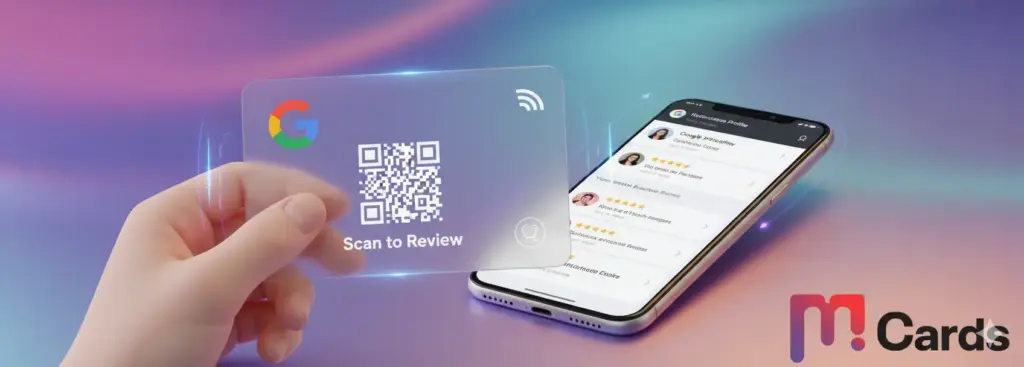
Google Review NFC Cards are small, professionally designed cards with all the info your customers need to leave a Google review for your business. They often include:
- Your business name.
- A QR code that will instantly connect you to your review page.
- Encouraging customers to leave a review short message.
- Social media handles (optional), contact information.
These cards too serve as a polite reminder to your customer to have them share their experience both positive and constructive with your business.
These cards make it such a nice act for the customer to give you feedback, whether that feedback is positive or constructive.
Why Do You Need Google Reviews?
Google reviews play a significant role in:
- Building Trust: Positive reviews build credibility and persuade new customers to believe you’ll deliver on your promises.
- SEO Benefits: Reviews help to increase your local SEO ranking and thus will let you appear higher in search results.
- Gaining Insights: Feedback from your customers helps you understand what you’re strong at and where you can improve.
- Attracting New Customers: Multiple reviews make a business look more reliable and customer-friendly.
Benefits of Using Google Review NFC Cards
Convenience for Customers: Customers like a simple, straightforward process. They can read your review page instantly with a QR code.
- Increased Review Numbers: Businesses get a noticeable boost in feedback because of such a simple method to leave feedback.
- Professional Touch: By handing out review cards you share your dedication to customer satisfaction.
- Brand Awareness: They can be customized with your brand logo, colours, and tagline, which gives these cards a dual use as a marketing instrument.
How to Create Google Review NFC Cards
Creating an effective Google Review NFC Card involves:
1. Add Your Business to Google
First of all, make sure your company is listed on Google My Business. Fill in your profile with correct details including Name, Address and Contact Information.
2. Generate a Review Link
To create a direct link for reviews:
- Enter your Google My Business account.
- Navigate to the “Home” tab.
- To get more reviews, copy the URL under “Get more reviews.”
3. Create a QR Code
Create a QR code from the review link by using free online QR code generators. Check the code and it works.
4. Design the Card
Your card should include:
- It’s something like, “We want your feedback! Leave us a review.”
- The kind of QR code that reads: ‘Scan to leave a review.’
- A bunch of business logos for a professional look with your business logo, and branding elements.
- If it’s a thank you message or contact details.
5. Print the Cards
Get professional cards printed for a reliable service. If you want a product that lasts longer go for a durable material such as thick cardstock or laminated finishes.
Where and How to Distribute Google Review NFC Cards
1. Hand Them Out in Person
If you have the type of business that interacts with happy customers, when they become happy they offer up their card and politely ask for a review. For example:
“Thank you for choosing us! We’d really like to hear what you think. This is a card with some information about how you can review.”
2. Include Them with Purchases
They are to be slipped into shopping bags, food delivery packages, or service invoices.
3. Use at Events
If your business gets involved in events or expos, print out these cards that can be given out as marketing material.
4. Display at Your Premises
Put the cards on the counters, waiting rooms or reception desks for customers to get.
Tips for Encouraging Customer Feedback
- Ask at the Right Time: Timing is crucial. Review, you can review after a positive service or purchase.
- Offer Incentives: In general, incentives need to pass muster with Google’s guidelines, but small things like discounts or freebies in exchange for feedback can encourage customers.
- Train Staff: Once you have the cards in hand, teach your team how to politely ask for reviews and what the process entails.
- Follow-Up: But if you do collect customer emails, you should send a follow-up message thanking them for visiting and putting in the review link.
Google Reviews Best Practices
1. Respond to Reviews
Reply to every customer review — positive or negative. Say thank you for feedback and deal with disagreements in a professional way.
2. Avoid Fake Reviews
And you don’t purchase fake reviews or get workers to leave reviews. Businesses are penalized by Google for dishonest practices.
3. Keep It Easy
The more simple the process is, the higher the chances of getting reviews. That’s why QR codes work so well.
Conclusion
Google Review NFC Cards are cheap and effective in increasing customer feedback. These cards make it a seamless review process for businesses so they can build credibility, improve SEO rankings, and strengthen customer relationships.
And today you can start making your Google Review NFC Cards and watch your business reputation grow. These cards have great potential to serve as your secret weapon of customer engagement if you manage to combine the right design and distribution strategy. One review could be your next loyal customer!